Lumi app icon — a glowing face Coming soon to the App Store

The screen time app with a heart.

Lumi is a tiny light that dims when you doomscroll. Block TikTok, Instagram, or any iPhone app — then say an affirmation to unlock it. Guilt goes to the apps. The light comes back to you.

Get notified at launch How it works
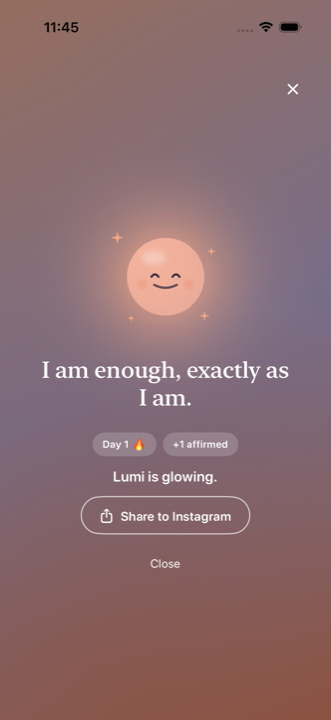
Lumi app celebration screen: radiant mascot with Day 1 streak after an affirmation

An app blocker that doesn't shame you

Most screen time apps are dashboards, timers, or guilt trips. Lumi is a character — her light is your attention. She's launching soon on iPhone (iOS 16.2+), built on Apple Screen Time.

Get notified at launch

See her glow

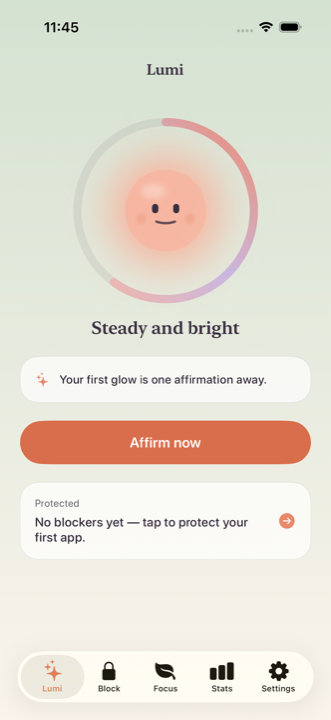
Lumi home screen with the light ring, day streak and Affirm now button
Your light, live on Home
Affirmation ritual completed — Lumi glowing with streak chips
Affirm to unlock — she blooms
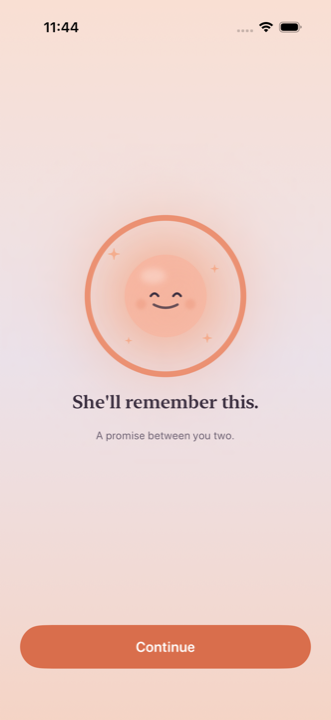
Hold-to-pledge moment: a coral ring filled around Lumi
A promise between you two
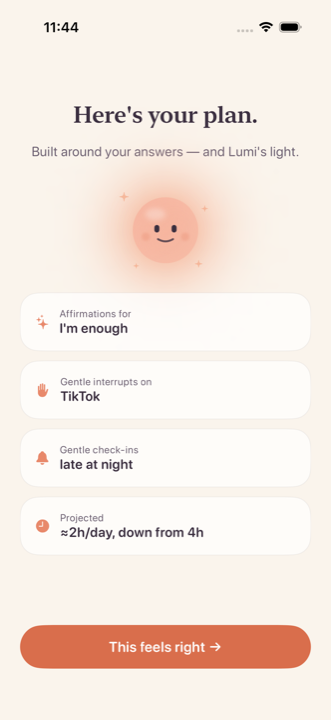
Personalized plan: affirmations, gentle interrupts on TikTok, check-ins late at night
A plan built from your answers
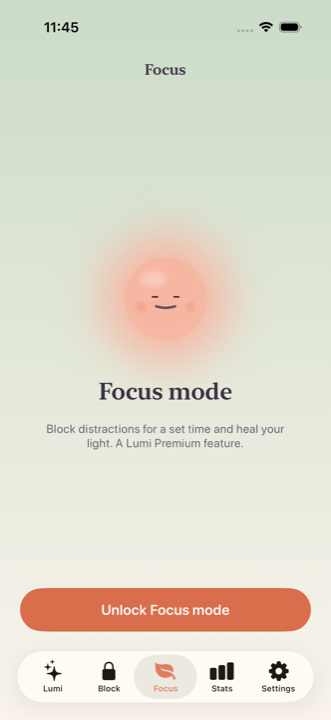
Focus mode screen on a sage gradient
Focus sessions heal her light
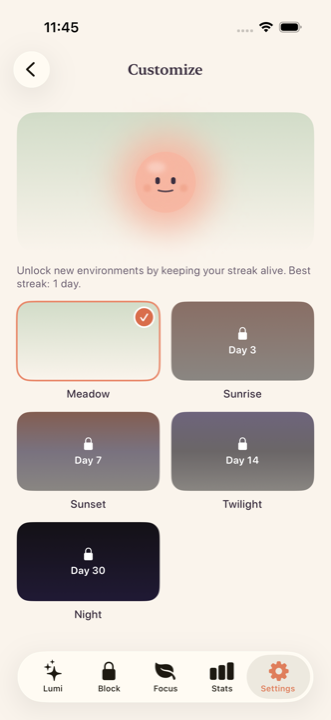
Unlockable environments: Sunrise, Sunset, Twilight, Night themes gated by streak days
New worlds as your streak grows

How Lumi works

1

Block the apps that take from you

Pick TikTok, Instagram, or any app with Apple Screen Time. Lumi shields them with a gentle screen — no cold system wall.

2

Affirm to unlock

Want in anyway? Read, type, or trace one affirmation first — "I am worth more than this feed." A breath between impulse and scroll.

3

Keep her light alive

Lumi dims as your screen time climbs and glows when you stay present. Streaks unlock new environments. Missing a day doesn't break you — light freezes have your back.

Guides

Practical, no-shame answers to the questions that probably brought you here.

How to stop doomscrolling

Why your feed keeps winning at 1am — and the interrupt that actually works.

How to block TikTok on iPhone

Three ways to do it with Screen Time — and how to make the block stick.

How to limit Instagram screen time

Set a real limit that survives the "ignore limit" button.

How to reduce screen time on iPhone

A gentle system: measure, block, replace — without going cold turkey.

How to break phone addiction

What the habit loop looks like and how to rewire the unlock moment.

A daily affirmations app that blocks apps

Why pairing affirmations with app blocking beats both alone.

Frequently asked questions

What is Lumi?

Lumi is an iPhone screen time app and app blocker led by a small glowing character. Her light dims as your screen time climbs; blocked apps unlock only after you complete a short affirmation ritual. Learn more →

How does Lumi block apps like TikTok and Instagram?

Lumi uses Apple's Screen Time (Family Controls) framework — the same system-level shield iOS uses — so blocks apply everywhere, with a warm Lumi screen instead of a cold system wall. Learn more →

What is the affirmation unlock ritual?

When you open a blocked app, Lumi asks you to read, type, or trace one short self-affirmation first. It takes ~10 seconds and puts a breath between impulse and scroll — then the choice is genuinely yours. Learn more →

Does Lumi shame you for slipping?

Never — it's a design law. If you lapse, Lumi says she waited for you. Streaks come with light freezes so one missed day doesn't erase your progress. Guilt lands on the apps, not on you. Learn more →

Is Lumi free?

The core loop is free: the affirmation ritual, one blocker, your streak, and today's stats. Premium (7-day free trial) adds unlimited blockers, Focus mode, history, and unlockable environments.

When does Lumi launch?

Lumi is in final polish and launching soon on the App Store for iPhone (iOS 16.2+). Get notified →

Your attention is worth protecting.

Be first in line when Lumi lights up the App Store.

Get notified at launch